REST APIs Explained
Almost every modern web application relies on APIs to communicate between a frontend and a backend — or between different backend services. REST (Representational State Transfer) is by far the most widely used architectural style for building these APIs. Understanding REST is a foundational skill for any web developer.
What is a REST API?
A REST API is a set of rules for how clients (like a browser or mobile app) and servers exchange data over HTTP. The key idea is that the server exposes resources (think: users, posts, products) at well-defined URLs, and clients interact with those resources using standard HTTP methods.
HTTP Methods and CRUD
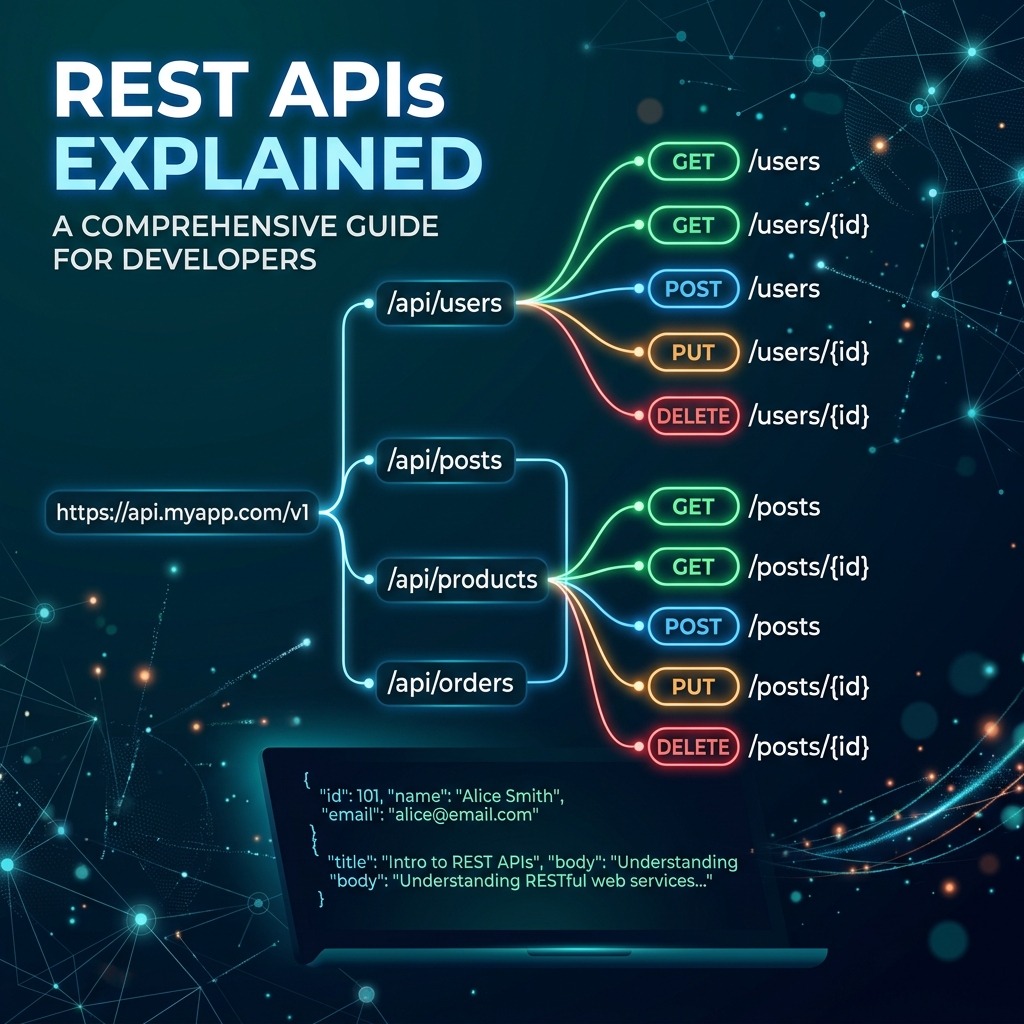
REST maps the four CRUD operations to HTTP methods:
| HTTP Method | Action | Example |
|---|---|---|
GET | Read | Fetch a list of posts |
POST | Create | Add a new post |
PUT / PATCH | Update | Edit an existing post |
DELETE | Delete | Remove a post |
Designing REST Endpoints
Good REST design is resource-oriented. Use nouns, not verbs, in your URLs:
✅  GET    /api/posts          → list all posts
✅  GET    /api/posts/42       → get post with id 42
✅  POST   /api/posts          → create a new post
✅  PATCH  /api/posts/42       → partially update post 42
✅  DELETE /api/posts/42       → delete post 42

❌  GET    /api/getPosts       → verb in URL (anti-pattern)
❌  POST   /api/deletePost/42  → action in URL (anti-pattern)
HTTP Status Codes
Status codes tell the client what happened:
| Code | Meaning |
|---|---|
200 OK | Request succeeded |
201 Created | Resource was created successfully |
400 Bad Request | Client sent invalid data |
401 Unauthorized | Authentication required |
403 Forbidden | Authenticated but not allowed |
404 Not Found | Resource doesn't exist |
500 Internal Server Error | Something went wrong on the server |
A Simple REST Endpoint in Node.js
import express from "express";
const app = express();
app.use(express.json());

const posts = [
  { id: 1, title: "Hello World", body: "My first post." },
  { id: 2, title: "REST APIs", body: "Learning REST today." },
];

// GET all posts
app.get("/api/posts", (req, res) => {
  res.status(200).json(posts);
});

// GET a single post
app.get("/api/posts/:id", (req, res) => {
  const post = posts.find((p) => p.id === Number(req.params.id));
  if (!post) return res.status(404).json({ message: "Post not found" });
  res.status(200).json(post);
});

// POST a new post
app.post("/api/posts", (req, res) => {
  const newPost = { id: posts.length + 1, ...req.body };
  posts.push(newPost);
  res.status(201).json(newPost);
});

app.listen(3000);
Request and Response Format
REST APIs typically use JSON as the data format:
// Request body: POST /api/posts
{
  "title": "My New Post",
  "body": "This is the content of my post."
}

// Response: 201 Created
{
  "id": 3,
  "title": "My New Post",
  "body": "This is the content of my post."
}
REST vs GraphQL
REST is not the only way to build APIs. GraphQL (developed by Meta) lets clients request exactly the fields they need, reducing over-fetching. However, REST remains the default choice for most applications due to its simplicity, browser-native caching, and wide tooling support.
Key REST Principles
- Stateless — each request contains everything the server needs; no session stored server-side.
- Uniform Interface — consistent URL structure and HTTP methods across all resources.
- Client-Server Separation — frontend and backend evolve independently.
- Cacheable —
GETresponses can be cached by browsers and CDNs.
Conclusion
REST APIs are the language that modern web services speak. By sticking to resource-oriented URLs, the right HTTP methods, and meaningful status codes, you create APIs that are intuitive to use, easy to document, and a pleasure to maintain.